

'/%3E%3C/svg%3E)
Key Takeaways
- Which cash game formats and mobile tournament routes are available, from Hold’em to Short Deck and Centrolls;
- How to set up the app on Android or iOS, or play instantly through a mobile browser;
- How a tournament seat carries over when switching from desktop to phone;
- What the welcome offer and CoinRewards add once funding an account from a mobile device;
- How registration works on mobile, and what tools keep sessions fair and secure.
CoinPoker Mobile Table Experience with Full Poker Controls
For Canadian phone sessions, the CoinPoker app keeps core play and review tools at the table. Players can open Game History and add Player Notes. Player Chat and the built-in HUD are also available.
The HUD shows VPIP and PFR for a quick view of opponent tendencies. Hand History is available through the cards icon. These tools reduce reliance on desktop software for routine review.
Touch Interface, Multi-Table Play and Built-In Player Information
Touch controls support direct table actions, with up to five tables available simultaneously. Player profiles keep notes available with a tap. Opponent statistics stay available beside them.
EV Cashout can be enabled for eligible cash-game all-ins before the river. Bomb Pot moves qualifying hands directly to the flop after contributions. Splash Pots can add cash to eligible pots during supported cash games.
Direct Android Setup from the Official Mobile Package
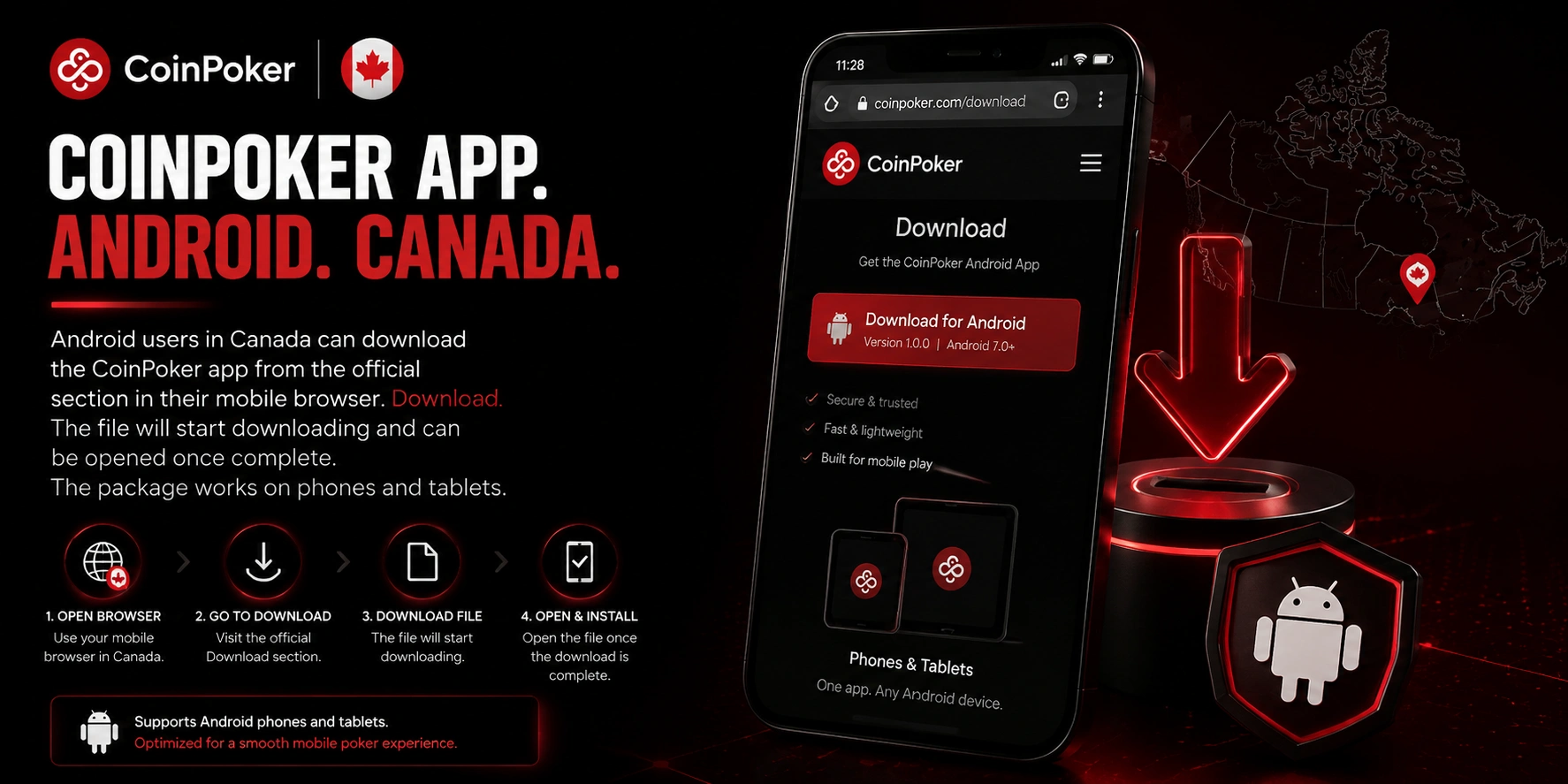
For Android users in Canada, downloading the CoinPoker app begins from the official Download section in a mobile browser. The file starts there and can be opened when complete. The package supports phones and tablets.
Samsung, Xiaomi and Redmi models are supported. Android 8 or higher is listed for optimal performance. No desktop installer is needed for the mobile package.
Download Permission, Installation Warnings and First Launch
Some Android devices require permission before the package can be installed. The security path depends on the handset maker. Use the official setup routes below.
- Samsung permission: open Settings > Biometrics and security > Install unknown apps, then allow the selected source.
- Xiaomi or Redmi permission: open Settings > Privacy Protection > Special permissions > Install unknown apps.
- Standard warning: approve the download if Android asks whether to continue outside the Play Store.
- Blocking tools: temporarily adjust Play Protect or Auto Blocker if either stops installation.
After setup, tap Open and proceed to registration or login. The permission can be reviewed again in device settings. Wi-Fi, 4G and 5G are supported for regular Android play.
iPhone and iPad Poker Through Installed Software or Browser Access
For Apple users, CoinPoker iOS access works through installed software or a supported browser. Safari and Chrome open the platform directly. The download route provides dedicated software.
Both iPhone and iPad use the same account credentials. Phone and tablet displays use portrait mode. Canadian users can choose between installed and browser play.
Device Trust, Portrait Play and an Instant Web Alternative
The installed version may require device trust before opening. Go to Settings > General > VPN & Device Management and select the developer. Tap Trust and allow the restart.
After restarting, open the program and sign in with the registered credentials. Browser users can enter through the web client without another account. iPhone places navigation closer to the thumb, while iPad offers more room for table management.
CoinPoker Session Continuity When Moving from Desktop to Phone
During an active tournament, CoinPoker mobile access allows switching from desktop to Android or browser play. A player can start on PC. The same event can continue on a phone.
No second profile or tournament registration is required. A dropped browser connection does not remove the seat immediately. Reopen the lobby and select the running event when chips remain.
Tournament Handoff and One Account Across Supported Devices
One profile is used across supported desktop and mobile formats. Balances and registered events remain tied to that profile. Account tools stay attached as well.
During a disconnect, blinds and antes continue posting while the seat remains active. A hand may fold automatically when action reaches an absent player. After reconnecting, the same seat can be taken from the running tournament lobby.
Mobile Banking and Rewards for Poker Players in Canada
For Canadian phone users, CoinPoker mobile banking supports BTC, ETH, SOL, USDT, USDC and bank cards. Crypto and bank-card deposits carry no platform deposit fee in Canada. New players can select a 150% welcome offer up to $2,000 from a first deposit of at least $10.
CoinRewards distributes more than $7 million each month through qualifying reward mechanics. Deposits and withdrawals sit in the Wallet area. The bank-card flow includes these checks.
| Mobile card checkpoint | Mobile cashier detail |
| Deposit range | $20 minimum and $2,200 maximum |
| Phone confirmation | a 4-digit code is entered during payment |
| Card verification | card number, expiry date, billing location and CVV/CVC |
| Final status | a completed payment shows a receipt marked Finished |
After completion, the funded balance appears in the account. Canadian users can handle routine poker banking from a phone. Available methods can vary according to the options shown in the cashier.
CoinPoker Poker Lobby with Cash Games and Mobile Tournament Routes
The mobile lobby groups major poker formats into one selection area. Cash tables include No Limit Texas Hold’em, Pot Limit Omaha, PLO5 and PLO6. Short Deck, Bomb Pot and All-In or Fold are also available.
Stakes vary by format without requiring another account type. Lobby filters narrow the available tables before joining. Players can move between formats within the same navigation.
Hold’em, Omaha Variants, Freerolls and Centroll Qualifiers
Tournament routes include MTTs and satellites. Freerolls and Centroll qualifiers from $0.01 are also listed. Free tournaments allow real-money prize entry without a first deposit.
Satellites provide a lower-cost route into larger scheduled events. Hold’em and Omaha variants appear according to the schedule. Tournament details can be reviewed in the lobby before registration.
Registration and First Account Entry from a Mobile Device
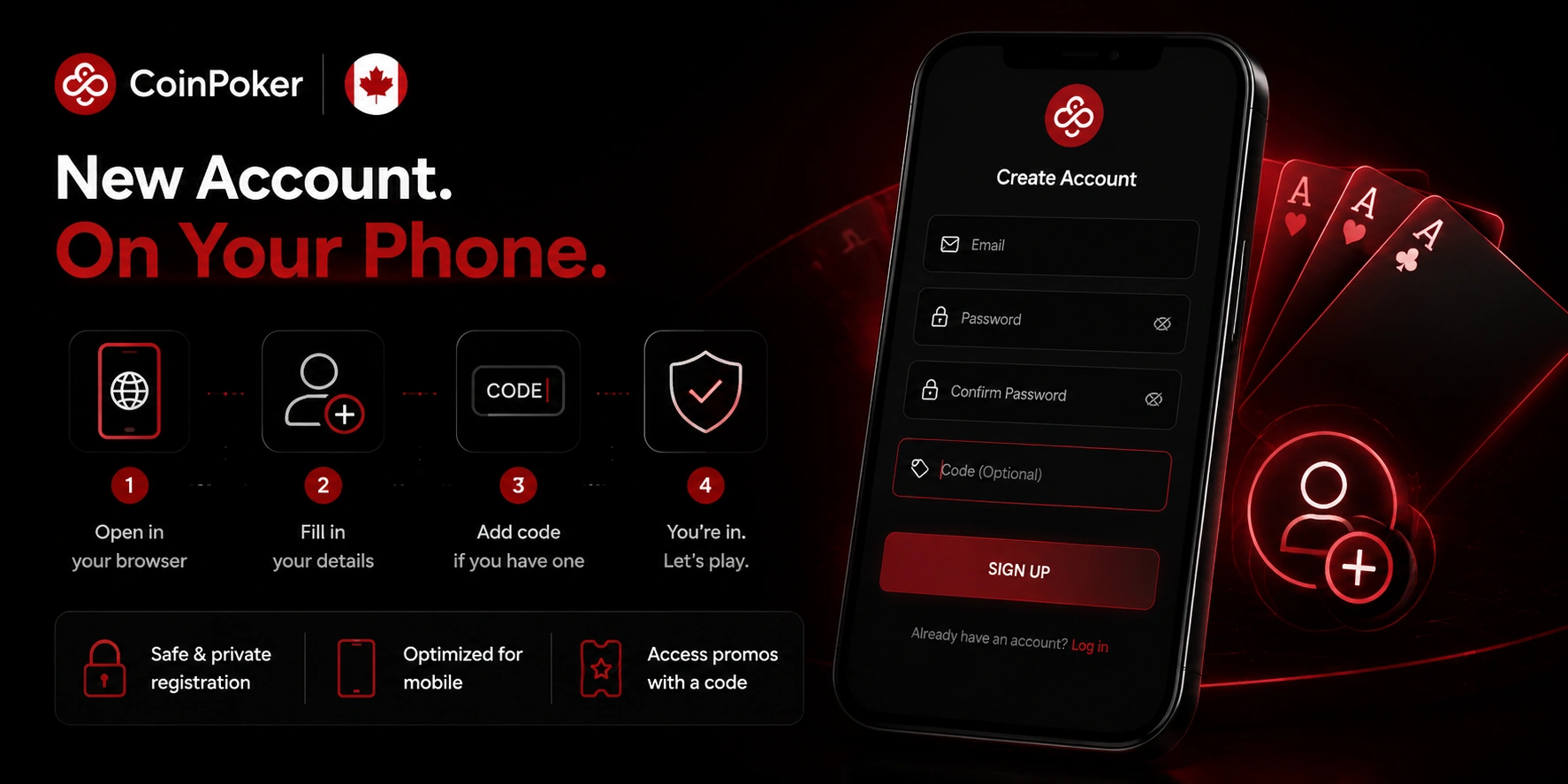
A new account can be created directly from a smartphone. Browser registration includes a code field when applicable. Complete the setup in this order.
- Create the profile: enter the email, password and applicable registration code.
- Confirm the email: use the verification message sent to the registered inbox.
- Return and sign in: use the same credentials to open the lobby.
The current mobile offer lists CoinPoker promo code MOBILE for entry to the $5K Monthly Freeroll. Enter it during registration so the promotion is attached to the new profile. After email confirmation, sign-in is available from supported mobile routes.
CoinPoker Safer Mobile Play and Player Support in Canada
For Canadian users of the CoinPoker app, protection combines licensing, separated funds and certified random card generation. The platform operates under an Anjouan Internet Gaming licence. Player funds are kept separately from operating funds.
Poker shuffling uses a certified RNG. Each hand is shuffled independently before play. Mobile sessions should still begin with a planned budget and stopping point.
RNG, Responsible Gaming Controls and Account Assistance
Responsible Gaming tools can place limits around spending and playing time. Deposit controls and session reminders are available through account settings. Self-exclusion is available there as well.
A 24-hour Gameplay Break can be enabled through Account Settings > Responsible Gaming. Temporary or permanent self-exclusion supports longer pauses. For technical or account problems, the official support team provides assistance.